
How to 10x the Output You Get From Claude
Most people use about 20% of what Claude can do — same plain questions, same generic answers. Nine changes that make the output dramatically better, starting with your next chat.
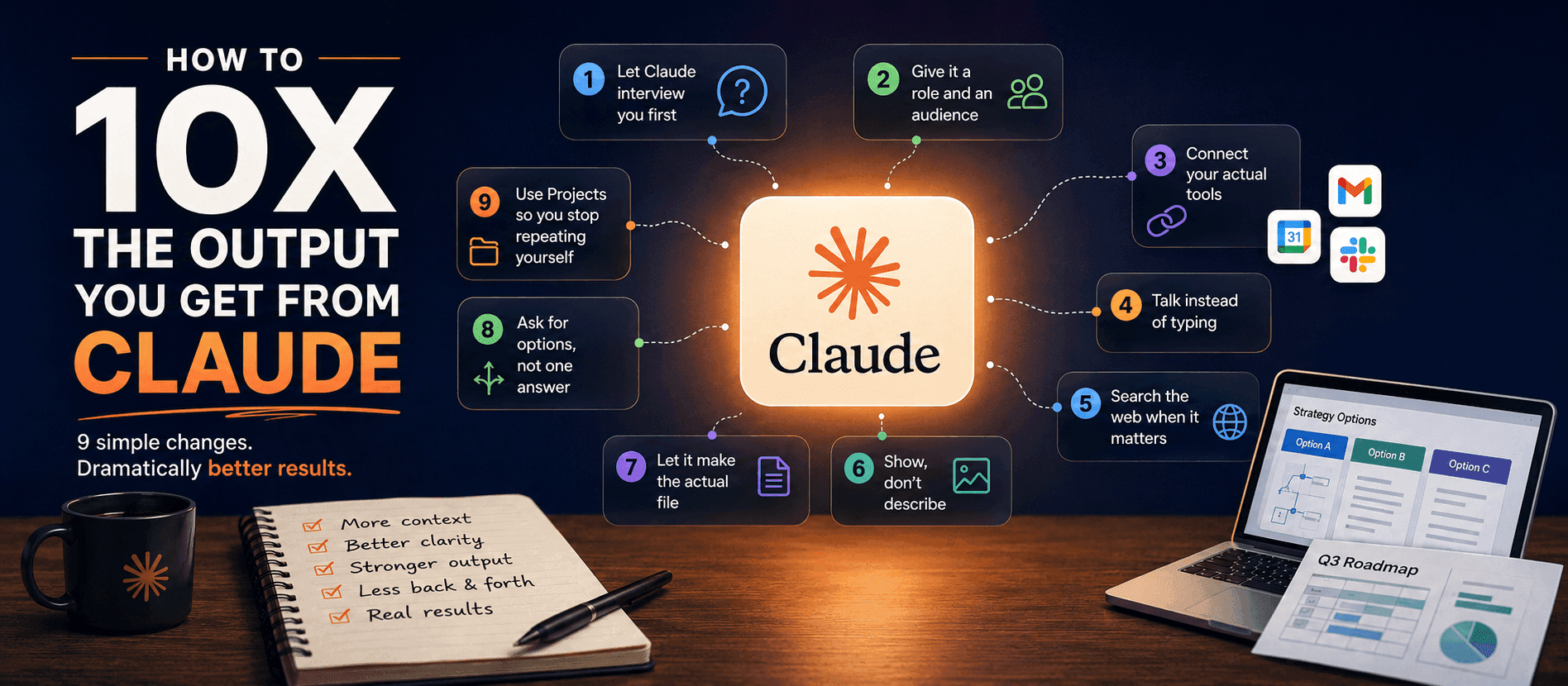
Most people use maybe 20% of what Claude can actually do. Same plain questions, same generic answers, then a shrug about how AI is "fine, I guess."
The gap usually isn't the model. It's how it's being used. Here are nine changes that get you noticeably better output — none of which take more than a few extra seconds.
1. Let Claude interview you first
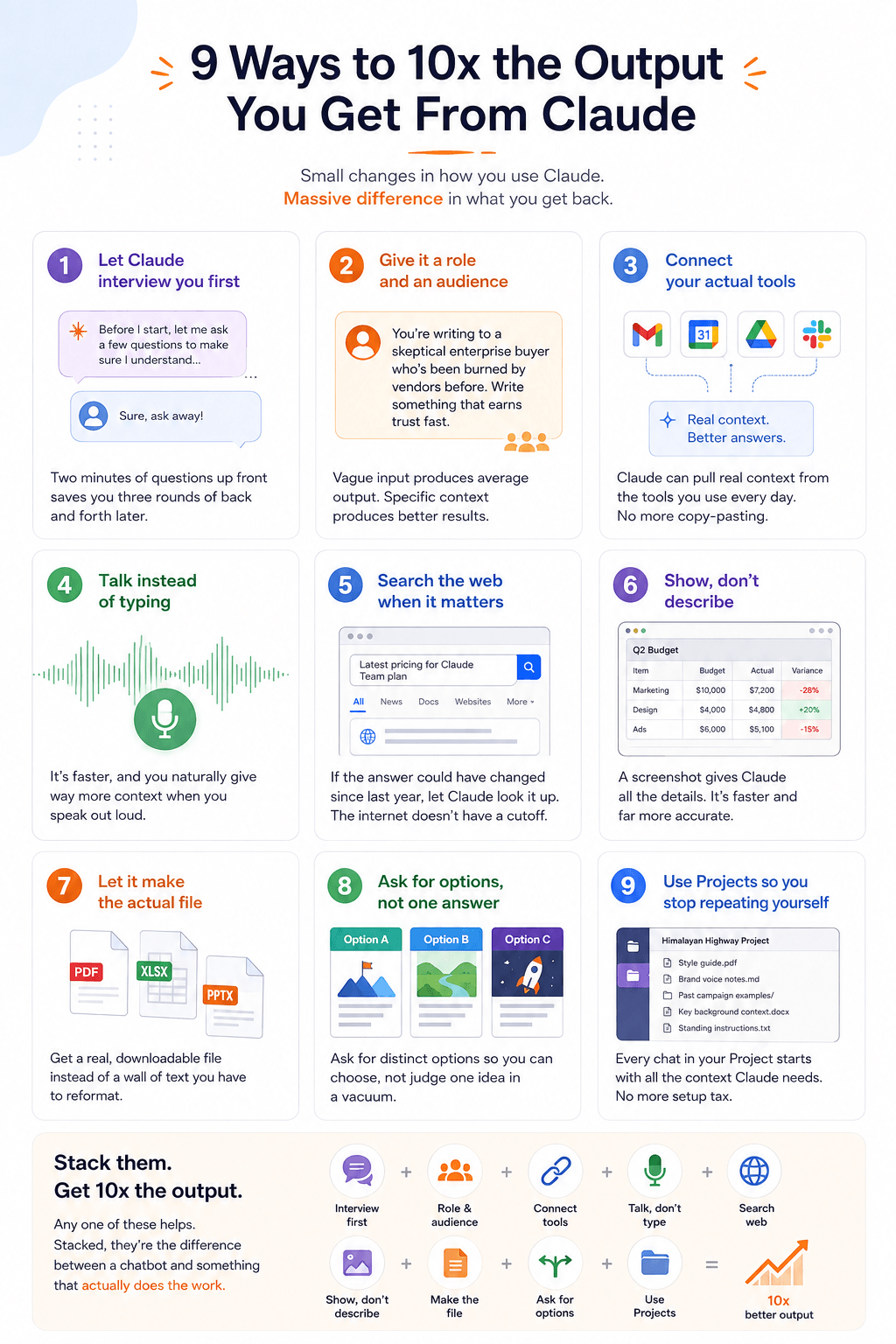
Before you hand over a big task, ask Claude to interview you about it. Literally: "Ask me clarifying questions before you start."
Two minutes of back-and-forth up front saves you three rounds of "actually, I meant..." later. You'll also discover things you hadn't decided yet — audience, tone, length, what "done" looks like.
This one is boring and it works better than almost anything else on this list.
2. Give it a role and an audience
Stop prompting like you're typing into a search bar. Give Claude a role, an audience, and a task.
- ❌ "Write a sales email."
- ✅ "You're writing to a skeptical enterprise buyer who's been burned by vendors before. Write something that earns trust fast." Roughly the same amount of typing. Completely different output. Vague input produces average output — that's not a flaw, it's just what "average" means when you haven't said who you're writing for.
3. Connect your actual tools
Gmail, Calendar, Drive, Slack — whatever you're in all day. Once those are connected, Claude can pull the real context instead of you copy-pasting fragments in by hand.
The difference shows up in the small stuff. "Draft a reply to that thread" beats pasting a wall of quoted email and hoping you included the right part.
4. Talk instead of typing
Try voice mode for anything you'd normally think out loud. It's faster, and — this is the real benefit — you naturally give way more context than you'd ever bother typing.
A typed prompt is fifteen words. The spoken version of the same thought is ninety, and all seventy-five extra words are useful.
5. Search the web when it matters
Turn on web search or deep research any time the answer depends on something current. Prices, releases, news, docs, anyone's job title.
Claude's training has a cutoff. The internet doesn't. If the answer could have changed since last year, let it look.
6. Show, don't describe
Drop in a screenshot instead of writing a paragraph about what you're seeing.
The bug. The design. The messy spreadsheet. The error you can't quite parse. Screenshotting takes two seconds and it's far more accurate than your description of it — you'd be surprised how much you leave out without realising.
7. Let it make the actual file
Need a slide deck, a doc, a spreadsheet, a markdown file? Ask for the file, not the content.
You get something real and downloadable instead of a wall of text you then have to reformat yourself. Most people skip this because they don't realise it's an option, then spend twenty minutes pasting into PowerPoint.
8. Ask for options, not one answer
For anything subjective — a headline, a design direction, a strategy, a name — ask for two or three distinct options instead of one.
The word "distinct" is doing real work there. Otherwise you get three versions of the same idea with the adjectives swapped. Ask for genuinely different angles and you'll pick faster and pick better, because you're choosing rather than judging one thing in a vacuum.
9. Use Projects so you stop repeating yourself
If you talk to Claude about the same thing more than once, put it in a Project.
Upload your style guide, your past work, your standing instructions, the background context you keep re-explaining. Every chat inside that Project starts with all of it already in view. You stop paying the setup tax on every conversation.
Stack them
Let Claude interview you. Give it a role and an audience. Connect your apps. Talk instead of typing. Search when it matters. Show instead of describing. Let it make the file. Ask for options. Set up a Project.
Any one of these helps. Stacked, they're the difference between a chatbot and something that actually does the work.
Same Claude. Way more output.
Need a quick definition?
Browse the AI Glossary for plain-English explanations of common terms in this post.
Open AI Glossary →